
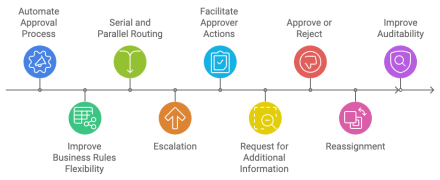
Hello Community,
In today’s blog, I would like to share my experience in configuring the job requisition approval process in the Oracle Recruiting Cloud module.
Let me start by describing the problem that almost every customer faces when trying to configure the job requisition approval workflow.
The configuration may be different for different companies, but there is one point that is common for all of them. It has to do with the fact that, at some point, the regional CFO gets involved in approving a new job requisition in terms of the regional budget.
In large, multinational companies, it is common that the management reporting hierarchy is not the same as the financial reporting hierarchy. The last one is usually based on the geographical structure.
Let me give you an example:
A hiring manager based in Singapore requests a new position to report to him and be based in France. A recruiter responsible for Central Europe is assigned to this new job requisition to work with. The approval process should go through the hiring manager’s supervisory hierarchy, but the CFO of France should also be selected to approve the budget.
Building the approval rules to achieve this requirement in Oracle Recruiting is quite challenging due to the restrictions, which I will show you in the next picture.

The problem is that it is not possible to route to the representative based on the requisition location or recruiting organization. We are limited to using either the Recruiter’s Representative or the Hiring Manager’s Representative. Neither is appropriate in our scenario.
That’s the problem! Many customers are looking for a solution or workaround to break it through. There are several ideas raised on Oracle Cloud Customers Connect that you can vote on:
- Base requisition approvals on the requisition organization structure
- Ability to route Requisition Approval based on Requisition department: Recruiting
What to do then. Do not panic! I have found a workaround that allows us to include Financial Representatives in the requisition workflow and correctly route approval rules based on requisition location and/or recruiting organization.

Let me explain this workaround in detail. It is based on the ability to use the “Assignee based on: Names and expressions” option in BPM (Inspired by How to use query-database-with-bindvar in Human Task(to Avoid Hard Parsing Issues) (Doc ID 2975400.1))
It allows us to derive approvers using SQL within orcl:query-database-with-bindvar() function. This function allows us to bind workflow payload attributes to SQL where clause.
Example
orcl:query-database-with-bindvar('select DESCRIPTION from fusion.GL_JE_BATCHES gl where gl.name= :glbatchname
and gl.je_batch_id = :jljebatchid and gl.JE_SOURCE= :glsource',true(),true(),'jdbc/ApplicationDBDS',
concat('glbatchname=', /task:task/task:payload/task:batchName, ', jljebatchid=',/task:task/task:payload/ns6:getJournalBatch/ns6:jeBatchId, ', glsource=', /task:task/task:payload/ns6:getJournalBatchResponse/ns6:result/ns0:JeSource))
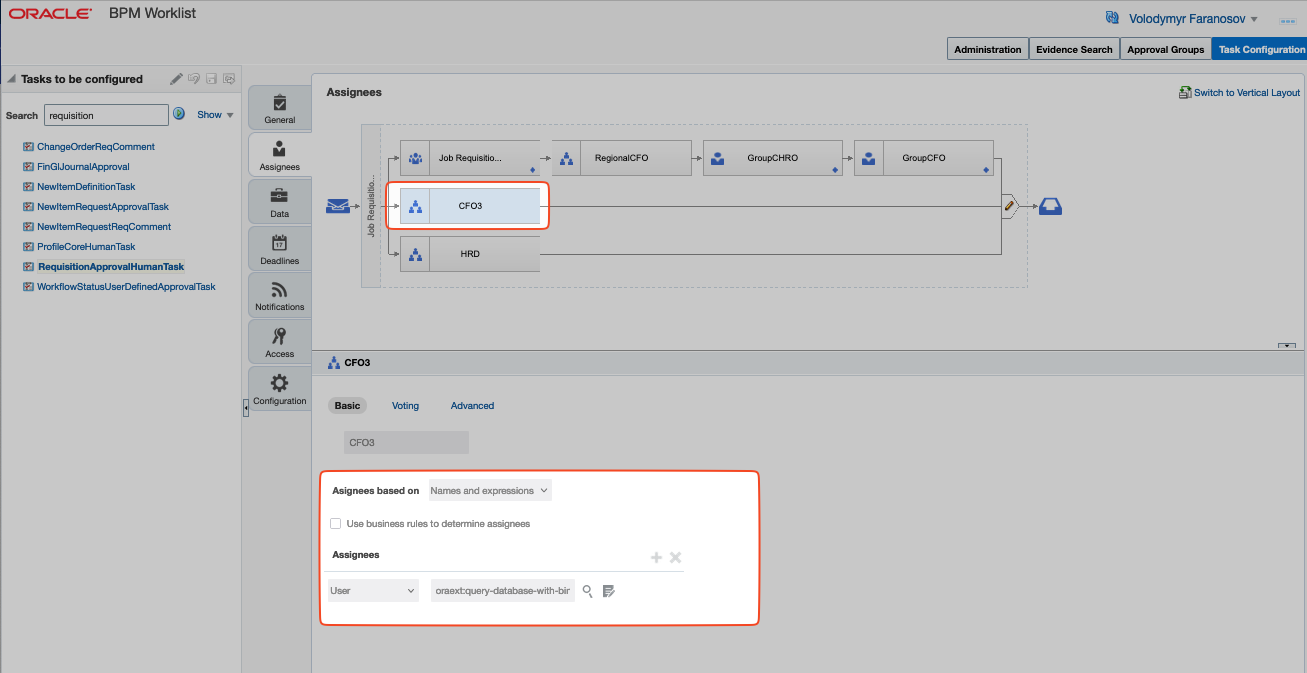

So we can easily get the requisition attributes related to location, organization, department, business unit, organizational hierarchy, etc. and it allows us to achieve much more flexibility to derive AoR-based representatives such as CFO, HRO, Regional CFO, etc.
Unfortunately, this workaround works only directly in PBM and once you update your approval rule you cannot edit it in the Transaction Manager UI anymore. I believe this disadvantage is worth getting much more flexibility.
I hope you found this blog helpful and remember:
“If you have an apple and I have an apple and we exchange these apples then you and I will still each have one apple. But if you have an idea and I have an idea and we exchange these ideas, then each of us will have two ideas.”
― George Bernard Shaw

 HCM Cloud Hub