
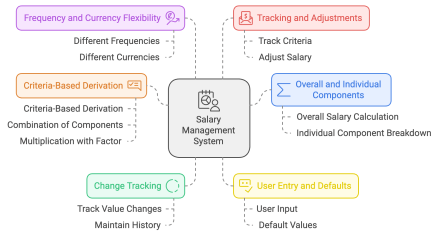
Hello Community,
I’m back with a new blog. I recently reviewed an “Oracle Fusion Cloud Compensation 24C What’s New” document, and in addition to the new Redwood user experience features, I found something that deserves attention.
It is the introduction of the Rates-Based Salary Basis type. This feature has been in controlled availability for a long time and is now available to all customers.
This fact made me go back to the India CTC structure requirements that I was trying to address with a single component feature, but it did not address 100% of the requirements.
Rates-Based Salary Basis refers to a compensation structure in which an employee’s pay is determined by a predetermined rate, which may be fixed or flexible. Payment is typically tied to measurable units of work, such as hours, days, or tasks completed, rather than a fixed annual or monthly salary. Rates may vary based on factors such as the type of work, performance, or market conditions. This structure is often used for freelance, part-time, or contract positions, allowing for flexibility in compensation based on actual workload or output.
You can check the Oracle document for details.
To familiarize myself with the technical part, I developed a simple PoC to demonstrate some advantages but faced some limitations too.
So let’s start with a PoC:
Here is an example of a salary breakdown structure.

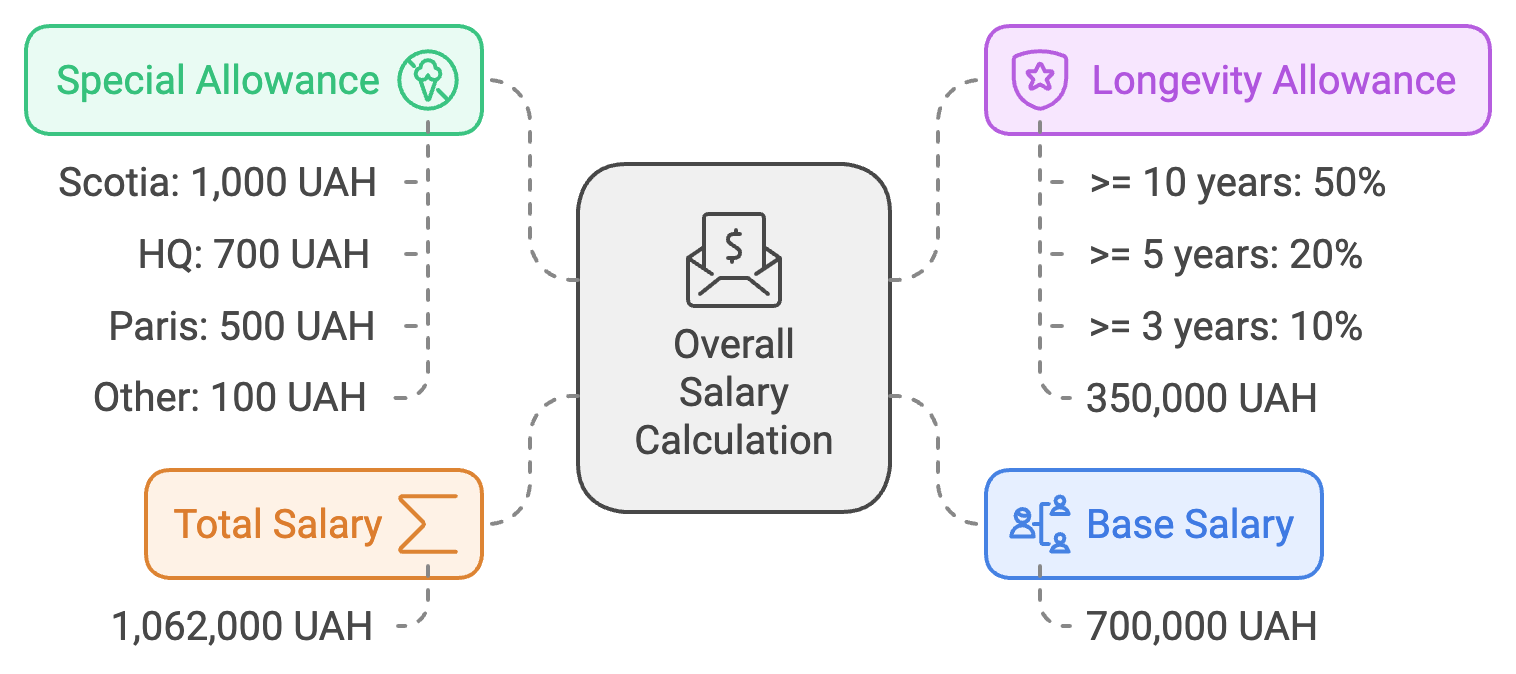
Steps to Configure
- Create the appropriate payroll elements.
- Create the appropriate value definitions by criteria.
- Create the appropriate rate definitions.
- Create the appropriate salary basis.
- Associate the rates-based salary bases with the appropriate worker salaries.
Let’s go through the configuration steps
1. Create the appropriate payroll elements.
We need three elements Base Salary, Overall Salary with an input value as an amount, and Longevity allowance with an input value as a factor.
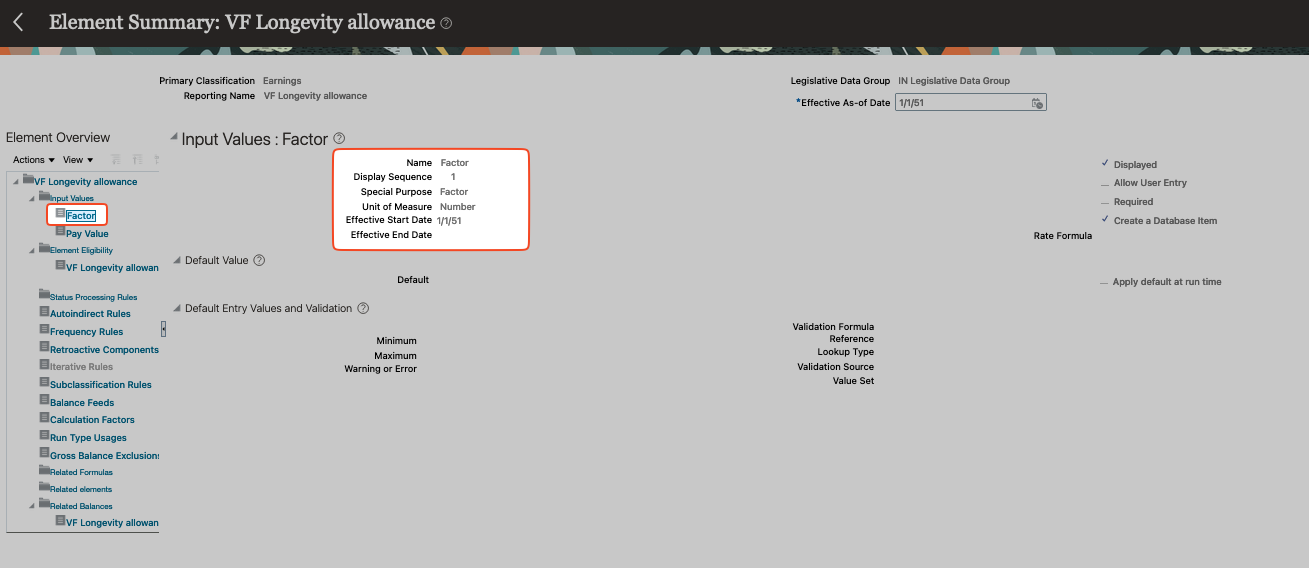
2. Create the appropriate value definitions by criteria.
I need to create 2 VDbCs: Locations and Seniority Rates.
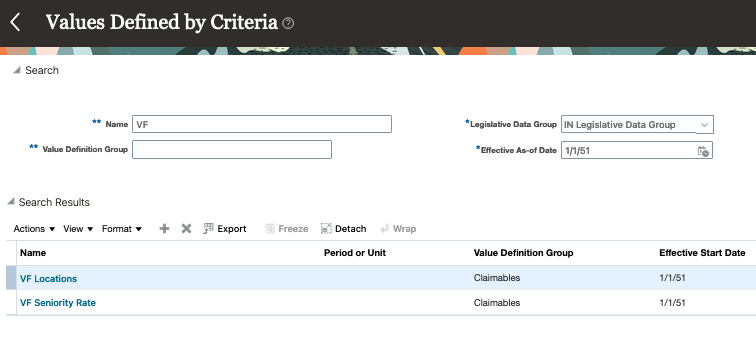
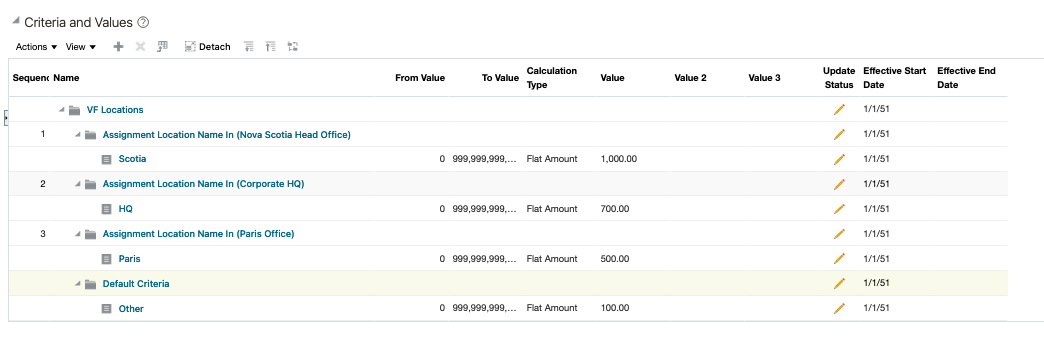
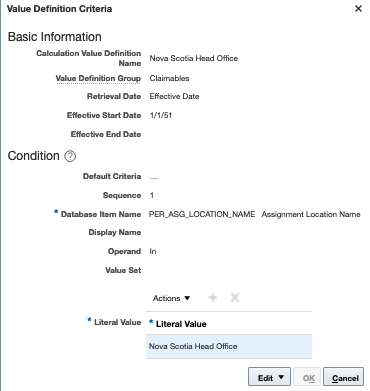
The first one is for location-based allowances. It returns a flat amount. The second one is for deriving seniority rates and it requires more attention.
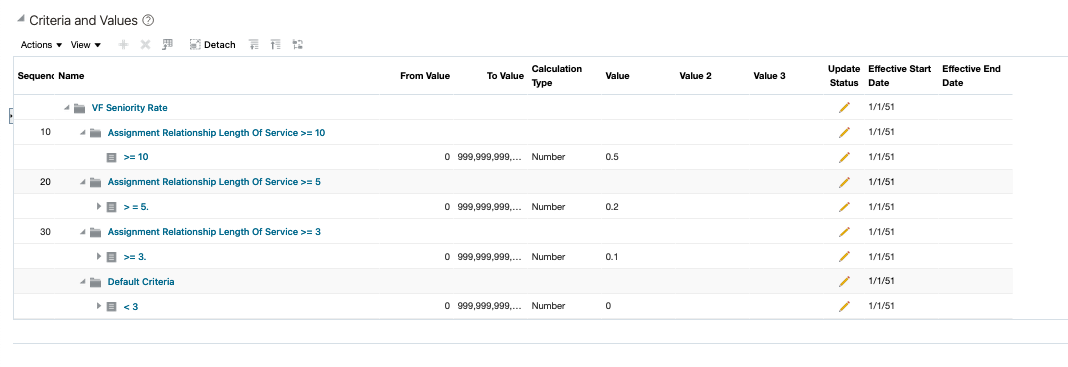
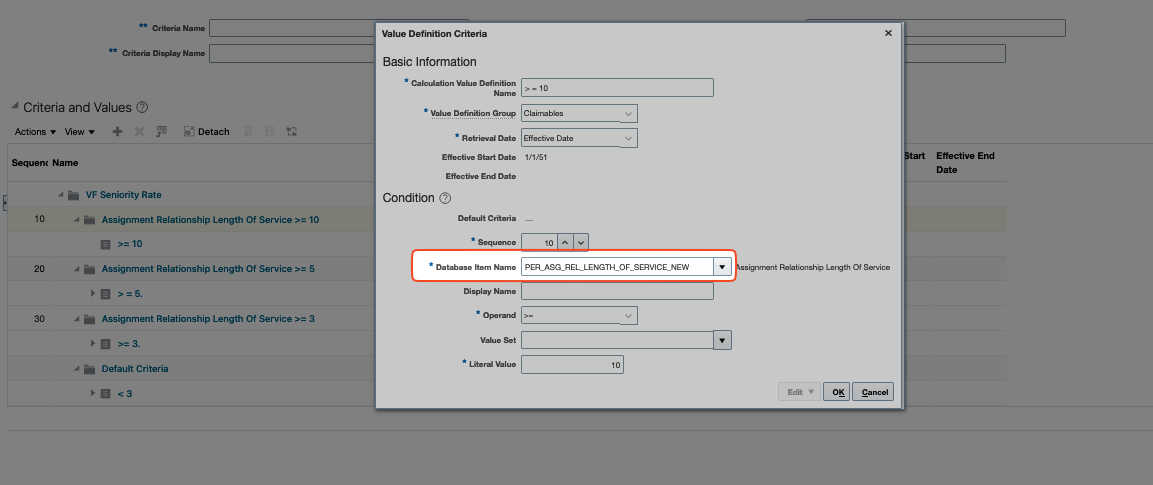
In this instance, we have utilized a database item that retrieves the number of years of length of seniority. This feature allows the rate to be calculated dynamically, which is a highly beneficial capability.
3. Create the appropriate rate definitions.
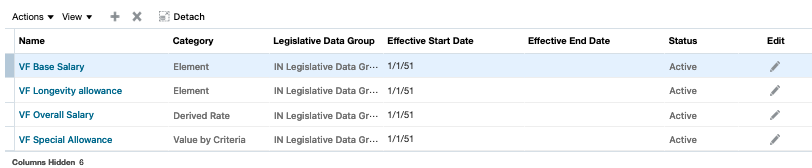
I won’t go into much detail about the rates functionality here, as you can read about it yourself. https://docs.oracle.com/en/cloud/saas/human-resources/24c/faucf/overview-of-rate-definitions.html
Just want to mention one point. I assigned a VDbC here to derive a default value for a rate but it can be overwritten. It’s just for this PoC, but you can choose a different decision.

4. Create the appropriate salary basis.
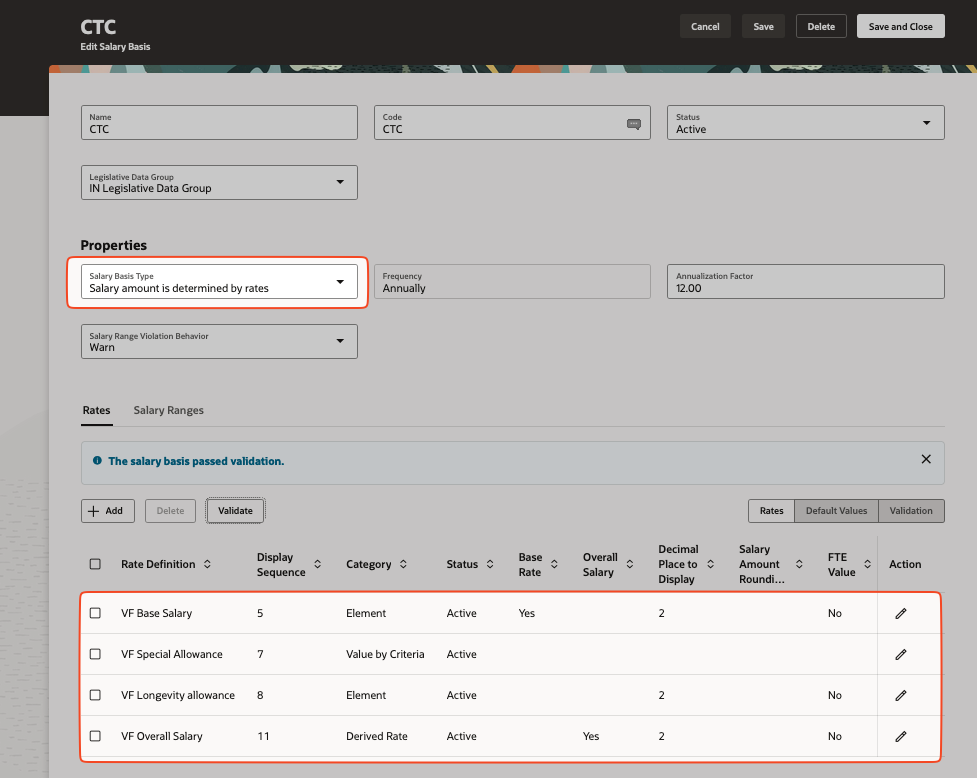
This part seems pretty straightforward.
5. Associate the rates-based salary bases with the appropriate worker salaries.
All right, let’s test it out. This short video shows you how it works.
Conclusion
The Rates-based salary basis type is a flexible, performance-oriented way to compensate employees based on predefined rates for different tasks, hours worked, or production levels.
Limitations
In addition to the limitations outlined in the user guide, I’d like to share some of my own findings.
- Formula-based Rates are not supported
- Fast Formula DBI is unable to access transient (in-flight) data that has been proposed in the flows but not yet committed to the database
- An element should be linked to one rate only, and should not be linked to more than one rate.




 HCM Cloud Hub